KPI owners and changes
A KPI’s definition is what everyone reads: people in the app, exports, and AI agents and applications through the API. Its owners decide on changes to it. Anyone in the organisation can suggest a change. The definition everyone reads stays the same until every owner has approved the change.
All of this is on the KPI’s page, on the tab Owners and changes. Open a KPI from Glossary, or find it with the search box.
Owners of a KPI
Section titled “Owners of a KPI”Owners lists who decides on the KPI. A KPI can have one owner or several, and any member can be one, a reader too.
A KPI without owners of its own is decided by the organisation’s owners, and Owners lists them. An organisation without owners leaves it to the workspace admins. So there is always someone to decide.
To give a KPI its own owners, you need the Owner role in the organisation:
- Choose Change the owners.
- Tick the members who own the KPI. With none ticked, the organisation’s owners decide.
- Choose Save.


Members are shown by their name. Depositori never shows an owner’s e-mail address or user id here.
Only people of the organisation can own a KPI. When it has none yet besides the workspace admins, there is nobody to tick: the panel says so, with Add people, which opens People on the organisation’s page.
When approval is binding
Section titled “When approval is binding”Approval is binding only for a KPI that has its own owners. Then its definition, its calculation note and whether it is a draft or reviewed change only through a suggestion that every owner approves. That holds everywhere: the glossary’s pencil, Edit as YAML, a template, an answered question, or an AI agent. Changing these directly is refused with a message that points to Suggest a change. Only the KPI’s owners and the organisation’s owners can rename the KPI or delete it.
A KPI without its own owners stays as it was: contributors can still change it directly in the glossary. Suggestions still work, and the organisation’s owners decide on them.
Suggest a change
Section titled “Suggest a change”Any member can suggest a change, a reader too.
- On the KPI’s Owners and changes tab, choose + next to Open items, then Suggestion.
- Write the new Definition, a new Calculation note, or both.
- Under Why should it change?, say why.
- Choose Send the suggestion.
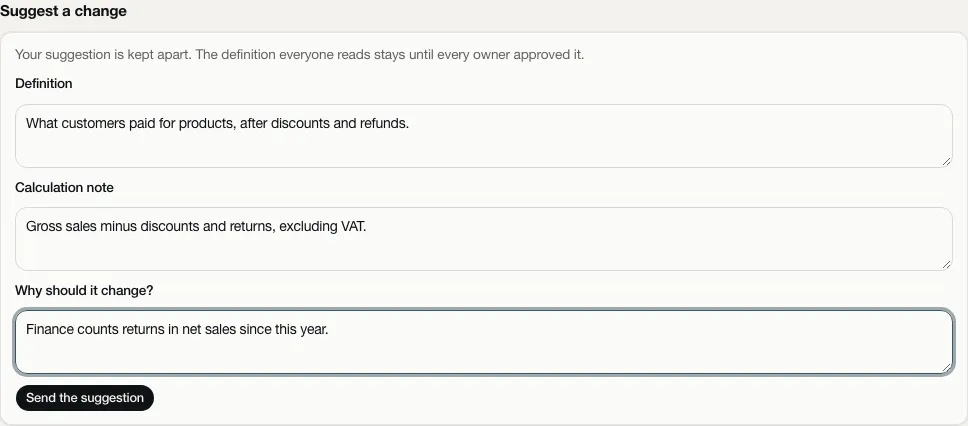
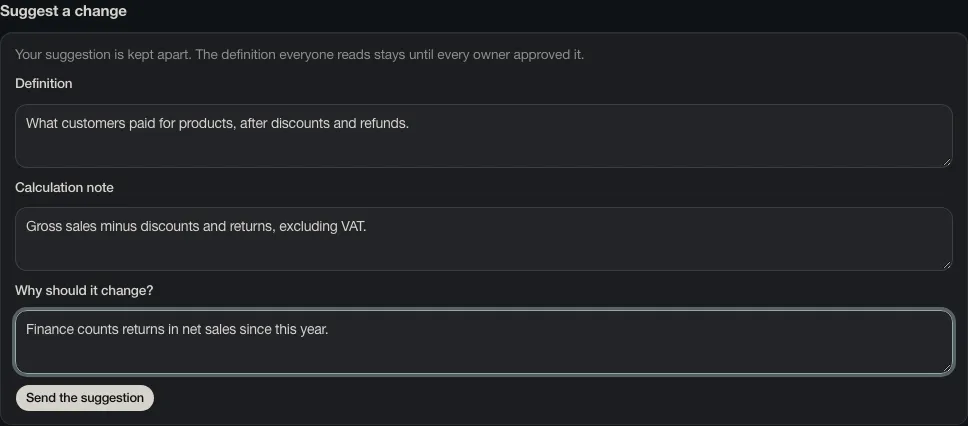
Your suggestion is kept apart from the definition. It shows under Open items, with the text now beside the suggested text, the reason, who approved it so far and who it still waits for. Open items holds the KPI’s open points for engineers too: Business shows only the suggestions, Developer only the open points. Task in the same form raises an open point.
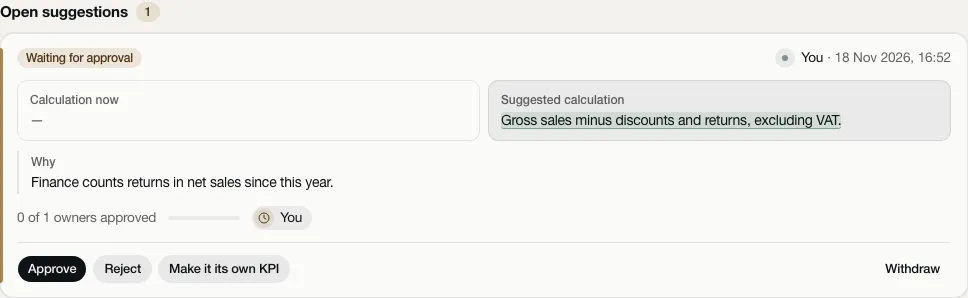
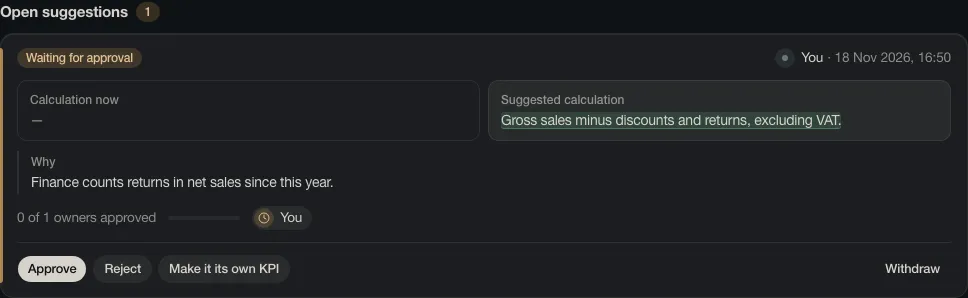
You can Withdraw your own suggestion while it is open.
Decide on a suggestion
Section titled “Decide on a suggestion”The owners of a KPI find what waits for them at the top of Glossary, Open questions, under Waiting for you. They can also find it on the KPI’s tab.
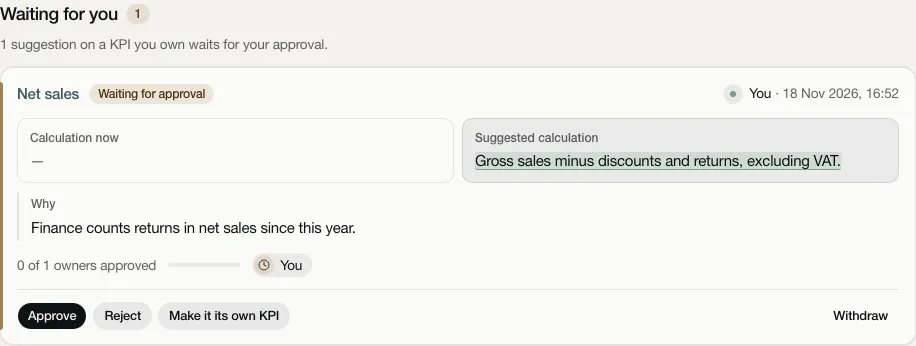
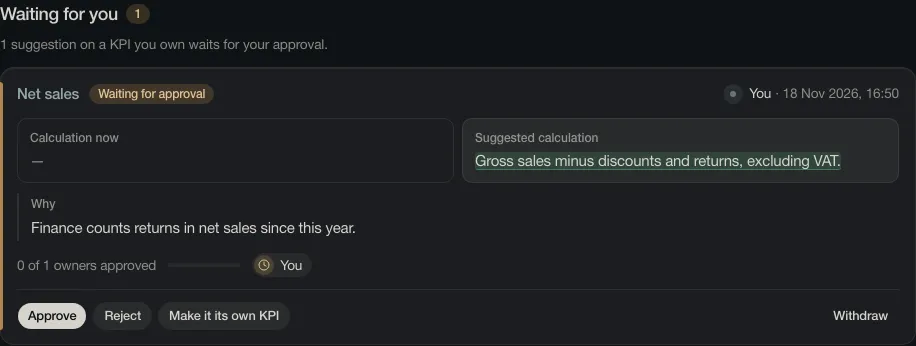
As an owner, you have three choices:
- Approve. When every owner has approved, the suggested text replaces the definition everyone reads, and the KPI is marked reviewed. Until then nothing changes. If someone has translated the changed text, the card says that approving removes that translation, because it translates the old text.
- Reject, with the reason. The suggestion closes and the definition stays as it is.
- Make it its own KPI, with a name. The suggestion becomes a new KPI. It is a draft with the suggested text and the same kind of number, and it is not linked to any metric yet. If the KPI has its own owners, the new KPI gets them too. The suggestion closes and the original KPI stays as it is. Go to the new KPI opens it.
If the owners change while a suggestion waits, the approvals of the remaining owners still count. A suggestion that every remaining owner has approved shows Apply.
Stale suggestions
Section titled “Stale suggestions”A suggestion can go stale: the definition everyone reads changed after it was made, for example because another suggestion was approved. Owners would then approve a change to a text that is no longer there. The card says so, and no one can approve it until it is brought up to date. Bring it up to date compares the suggestion with the text as it is now. The approvals then start again. The person who made the suggestion or an owner of the KPI can do this.
History and Used by
Section titled “History and Used by”History lists every step for the KPI: who suggested a change, who approved, rejected or withdrew it, who made it its own KPI and who changed the owners, with the date and time. It also shows which translations an approval removed.


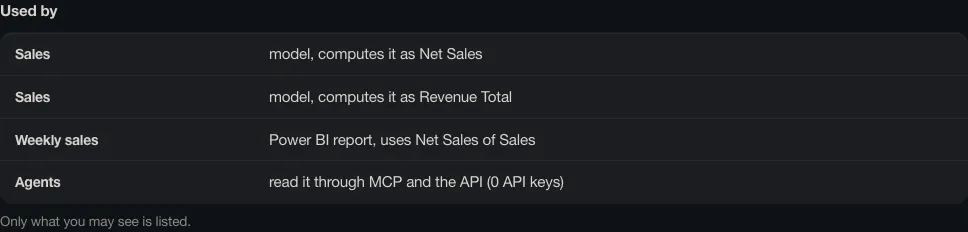
Used by shows what depends on the definition: the models whose metrics compute the KPI, dbt models, and the Power BI reports whose visuals use those metrics (as last read). It also notes that agents read it through MCP and the API. It lists only what you are allowed to see.
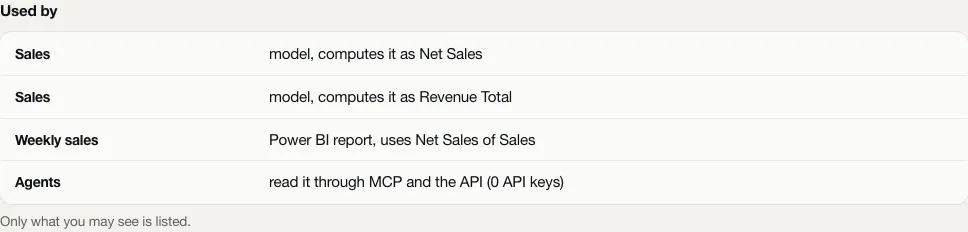
When an approved change alters the calculation note, the engineers of those models get an open point to change the metric in the source.
Who may do what
Section titled “Who may do what”| Reader | Contributor | Owner | Admin | |
|---|---|---|---|---|
| Read owners, suggestions, history and Used by | yes | yes | yes | yes |
| Suggest a change, withdraw your own | yes | yes | yes | yes |
| Approve, reject, make it its own KPI | if you own the KPI | if you own the KPI | if you own the KPI, or it has no owners of its own | if you own the KPI, or the organisation has no owners |
| Bring a stale suggestion up to date | your own, or if you own the KPI | the same | the same | the same |
| Change a KPI’s owners | no | no | yes | yes |
| Change an owned KPI’s definition directly | no | no | no | no |
An AI agent you connect works as you, with your role (see For applications). An API key can only read the owners, suggestions and history. It cannot suggest or decide anything, because a suggestion or a decision is always made by a named person.