Azure SQL and other databases
A database connection does two things. It lets the lineage of a Power BI model run on through the database’s views, down to the base tables. And its tables can become a model of their own. This page shows Azure SQL; a PostgreSQL or Snowflake database works the same way, with its own fields.
Before you start
Section titled “Before you start”- The Owner role in Depositori.
- The server and database name. When a Power BI model reads the database, Depositori knows both already.
- A source account: your Microsoft account with
VIEW DEFINITIONin the database, or a read-only database login that you store in Depositori. - The server’s firewall allows the address Depositori runs on (in the Azure portal: the server’s Networking page).
Depositori reads table and view definitions. It does not read rows.
Add the connection
Section titled “Add the connection”When a model reads the database, open Connections and choose 1 suggested next to Add connection. The form is filled in. Give it a name, Test, and Save connection.
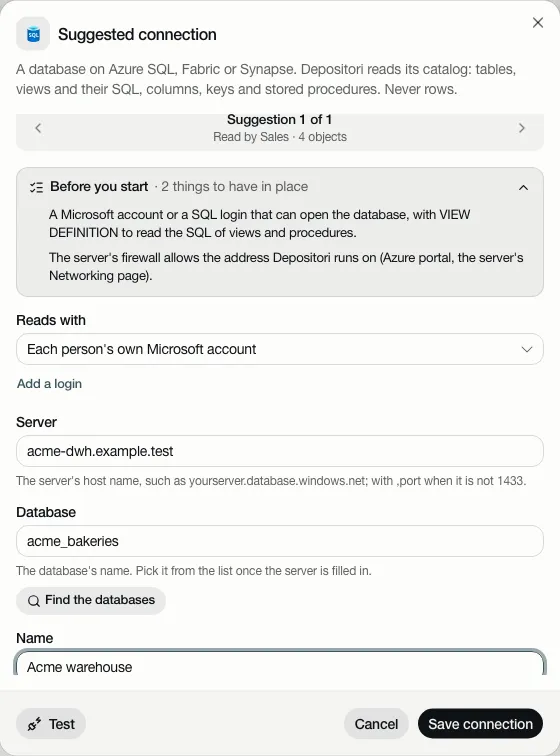
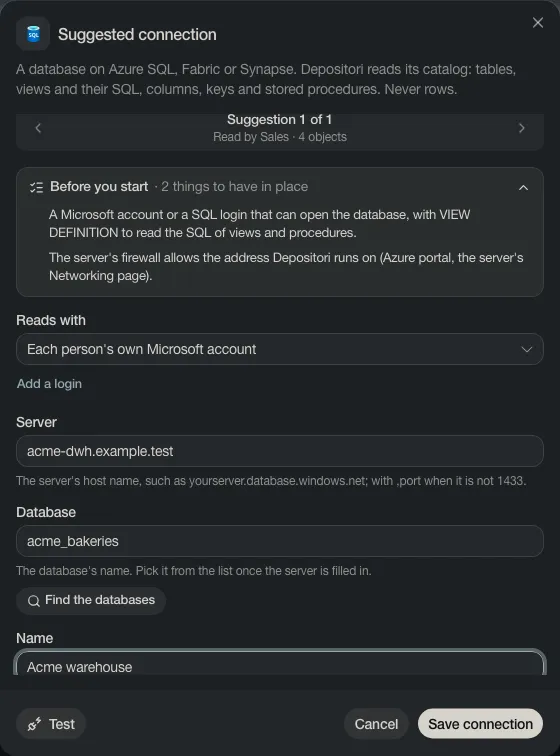
Otherwise choose Add connection, then Azure SQL database, and fill in Server. Find the databases lists the databases on it to pick from.
Use it
Section titled “Use it”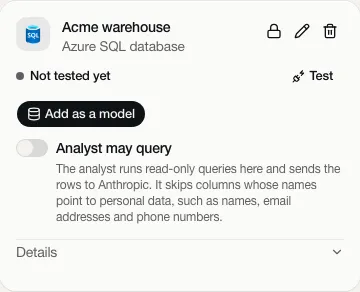
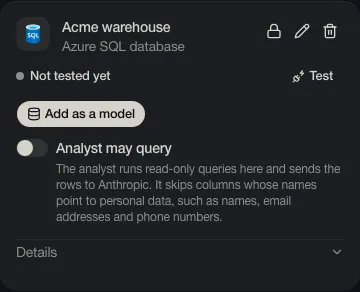
- Test checks that the database can be reached with the source account.
- Add as a model makes a model of the database’s own tables. Pick the schemas, then Import.
- Taki may query is off. Read Taki, the AI analyst before you turn it on.
Lineage from this database
Section titled “Lineage from this database”Under Details on the card, Lineage from this database has Read for lineage. It reads the views the models use, so their lineage runs through them. A model’s sources then say Lineage read.